



Scripting
This feature allows you to customize and automate specific workflows for each tenant without affecting other tenants. Through configurable scripts, administrators can define actions, processes, and business rules tailored to the specific needs of each tenant.
This flexibility enables the creation of personalized experiences, improving operational efficiency and the adaptability of the application.
Access to the Scripts configuration is available from the menu located on the left side of the main Lynn interface screen.
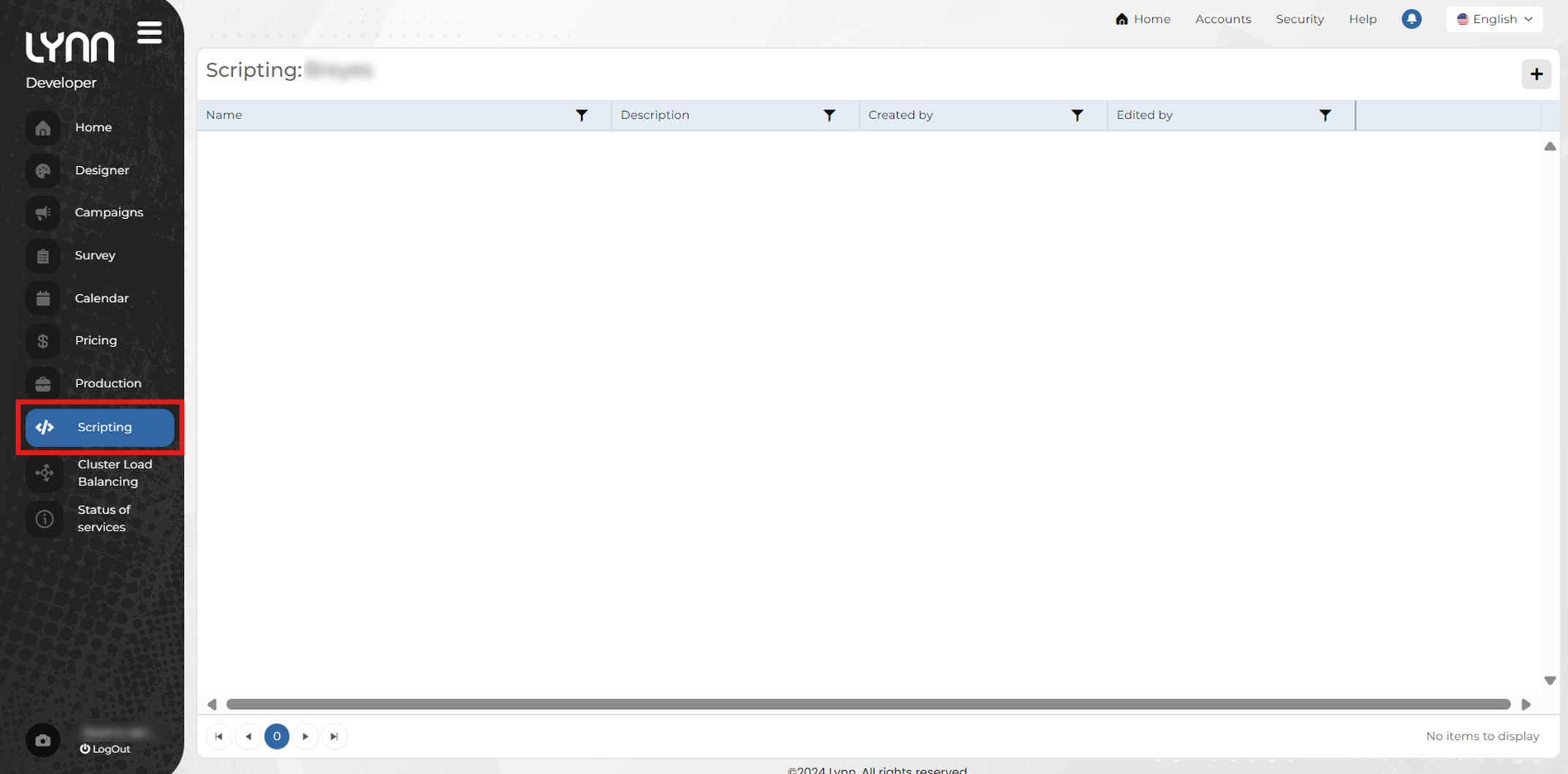
The information displayed in the main view of the Scripting option is presented in a table format, showing the following details:
- Name: A unique identifier or descriptive title that allows the script to be quickly located and distinguished from others. Ideally, it should be short and representative of its function or purpose.
- Description: A detailed summary of what the script does. It includes key information about its objective, usage context, and the conditions under which it runs.
- Created by: Records the author of the script. This is crucial for identifying who originally developed it, making it easier to track responsibility in case of questions or updates.
- Edited by: Indicates who made the most recent modification to the script, providing clear traceability of the change history and a point of contact for information about recent adjustments.
Script Creation Guide
Once in the main view of the Scripting module:
Click the Add button located in the upper-right corner of the view.
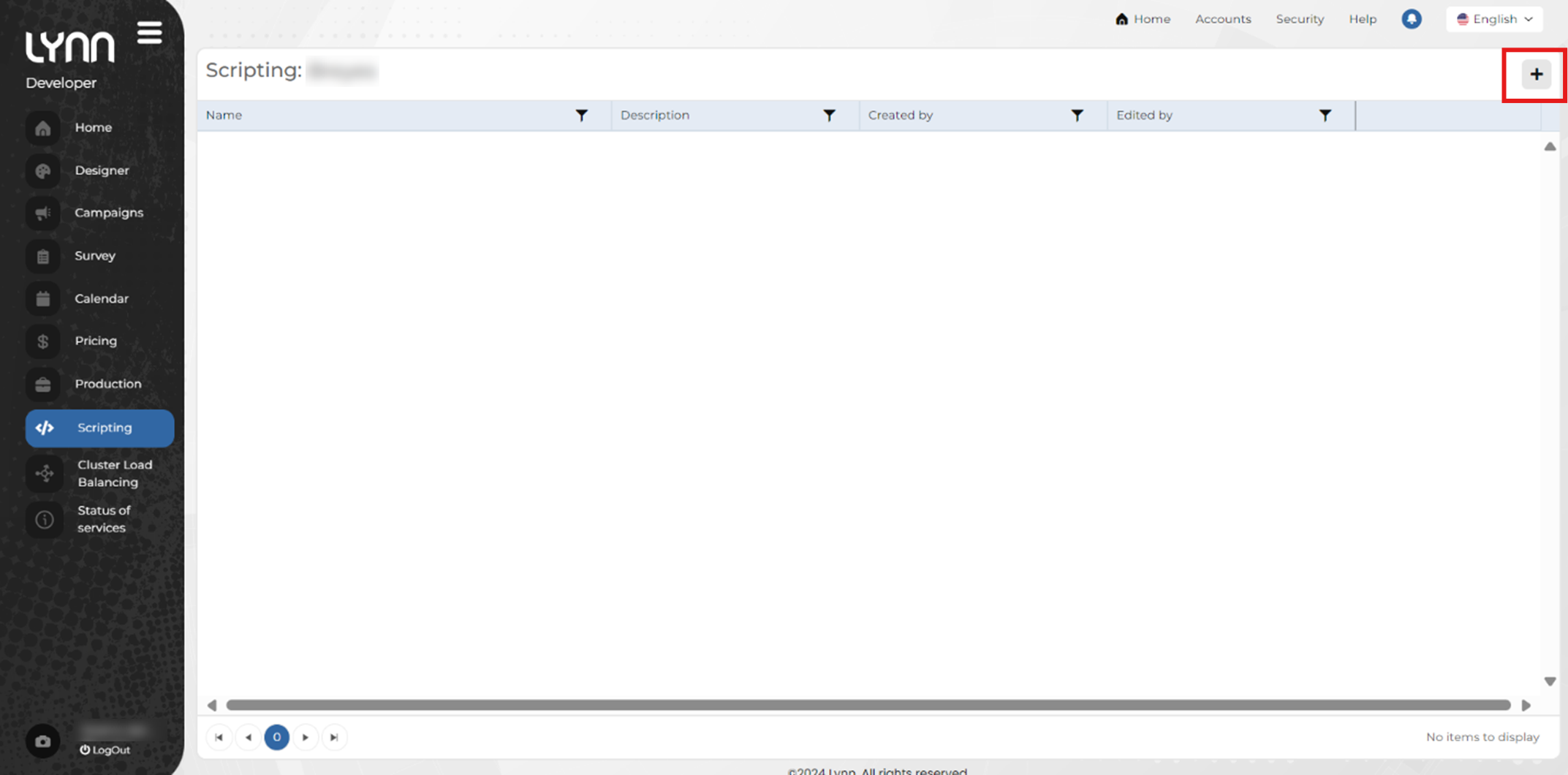
This will update the view to display the fields required for creating and customizing the script.
Fill in the required fields:
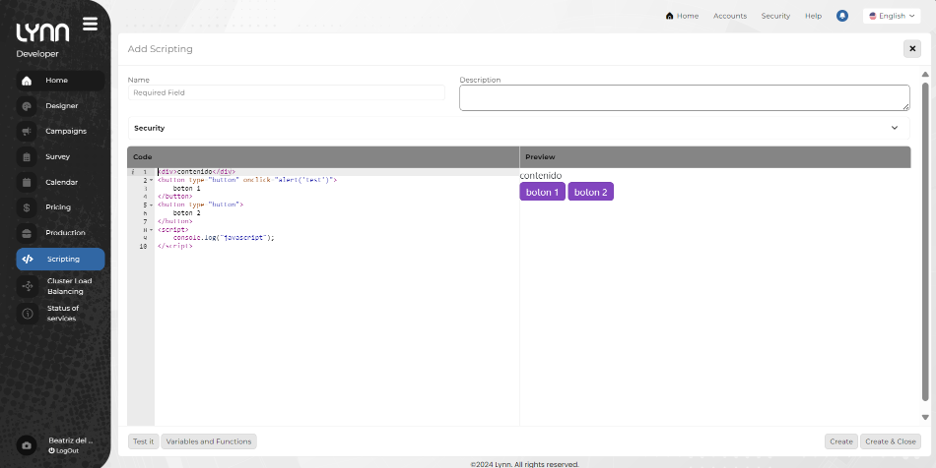
- Name: String field for the script’s unique and descriptive identifier.
- Description: String field to describe the purpose and functionality of the script.
- Security: Checklist field to configure access levels and permissions.
- Code: Area to enter the scripted logic.
- Preview: Preview panel to validate the script’s behavior.
At the bottom, there are four buttons:
- Test: Executes the script to verify its functionality before saving. It will open in a new browser tab.
- Variables and functions: Displays a list of available variables and functions that can be used in the script.
- Create: Saves the script without closing the current view.
- Create and close: Saves the script and returns to the main screen.
Once the script is configured and created, it will appear in the initial table. Tenant scripts will be listed as they are created, and actions such as Edit and Delete can be performed on them.
Available variables and functions for Kyubo scripting
Important
All variables and functions are case-sensitive.
| Variable | Data type | Description |
|---|---|---|
businessAttributes.[attributeName] |
string |
attributeName is the name of the session business attribute, all in lowercase. |
actionId |
integer |
Kyubo transfer action ID. |
| AGENT | ||
agentConnectedDate |
string |
Date when the agent connected to the session. |
agentName |
string |
Agent name. |
agentId |
integer |
Agent ID. |
| CHANNEL | ||
channelId |
string |
Session channel ID. |
channelName |
string |
Session channel name. |
channelService |
integer |
Session service ID. |
| CLIENT | ||
clientName |
string |
Client identifier within the session. |
| SESSION | ||
tenant |
integer |
Tenant. |
sessionId |
string |
Session ID. |
criteria |
string |
Session creation criteria name. |
criteriaValue |
string |
Session creation criteria value. |
division |
integer |
Division. |
isEMail |
bool |
Indicates whether this is an email session. |
isSimulated |
bool |
Indicates whether this is a simulated session. |
priority |
integer |
Session priority. |
skillList |
array<string> |
List of skills required for the session. |
tme |
integer |
Average waiting time for this session. |
| TEAMS INTEROP | ||
isTeamsInterop |
bool |
Indicates whether this is a Teams integration session. |
teamsInterop.dialingCallee |
string |
The callee to be dialed using Teams integration. |
teamsInterop.recordId |
string |
Identifier of the associated dialer record. |
teamsInterop.dialingType |
integer |
Dialing type used in Teams (1: external phone call, 2: room call, 3: CTE call, 4: join Teams meeting). |
| WORK GROUP | ||
workGroup.id |
string |
Work group identifier. |
workGroup.name |
string |
Work group name. |
workGroup.agentsCountSnapShot |
integer |
Number of agents connected to the work group at the moment the call was answered. |
workGroup.tmoSnapShot |
double |
Average handle time (AHT) of the work group at the moment the call was answered. |
workGroup.timeZone |
integer |
Time zone configured for the tenant. |
workGroup.avgWaitingTimeSnapShot |
double |
Average waiting time of the work group at the moment the call was answered. |
| Function | Description | Parameters |
|---|---|---|
| VARIABLE MANIPULATION | ||
SetEntity(entityName, value) |
Assigns a value to a specific entity. |
entityName: string (Entity name)value: string (Value to store).
|
| SESSION CONTROL | ||
FinalizeSession(reason) |
Closes the current session indicating the reason for closure. |
reason: string (Closing reason)
|
HangUpAssociatedCall(reason) |
Terminates the associated phone call. |
reason: string (Closing reason, qualification)
|
Qualify(qualification) |
Classifies the interaction with a closing label. |
qualification: string (Qualification name).
|
GetQualifications() |
Retrieves the list of available qualification options. The information is automatically filtered by tenant, session, and agent based on the request context. | No parameters |
TransferToAgent(agentType, service, isHuman, qualification) |
Transfers the interaction to an agent and sends the corresponding qualification. | agentType: integer Agent type (1: Human, 2: PrivateBot, 3: PublicBot).service: integer Service identifier.isHuman: bool Indicates whether the destination agent is a human (true) or a bot (false).qualification: string The qualification text previously obtained through GetQualifications. |
TransferToGroup(group) |
Sends the user to an agent queue by group. |
group: string (Target group name).
|
TransferToSkill(skill) |
Routes the user based on technical skills. |
skill: string (Skill name).
|
| COMMUNICATION | ||
SendMessageToClient(message) |
Sends a direct message to the client channel. |
message: string (Text content).
|
AddEmailBody(message) |
Inserts text into the body of an outgoing email. |
message: string (Text or HTML fragment).
|
| CONTACT MANIPULATION | ||
CreateEmailContact(email) |
Registers a new contact using an email address. |
email: string (Unique email address).
|
CreateWhatsappContact(name, number) |
Registers a contact for the messaging channel. |
name: string (Name).number: string (Phone number).
|
CreateVoiceContact(name, number) |
Registers a contact for the voice database. |
name: string (Name).number: string (Phone number).
|
GetAssociatedContactInfo() * |
Retrieves the contact data associated with the session. | No parameters |
CreateAssociatedContactInfo() * |
Registers the contact data associated with the session. | No parameters |
| PROACTIVE (OUTBOUND) | ||
GetCampaignInfo(campaignId) * |
Retrieves the configuration of a campaign. |
campaignId: string (Campaign ID).
|
CreateProactiveRecord(campaignId, data, statusId) |
Inserts a record into a campaign. |
campaignId: string (Campaign ID).
|
UpdateProactiveRecord(campaignId, recordId, data, statusId) * |
Updates an existing campaign record. |
campaignId: string (Campaign ID).recordId: string (Campaign record ID).data: jsonstatusId: string (Status ID).
|
GetProactiveRecord(campaignId, recordId, filters) * |
Retrieves a specific campaign record. |
campaignId: string (Campaign ID).recordId: string (Campaign record ID).filters: json
|
| JAVASCRIPT (INTEGRATIONS) | ||
$.ajax({settings}) |
Executes asynchronous HTTP requests. |
url: string (Endpoint).type: string (GET, POST).success: function (Response handler). |
Note
(*)These functions are in the development phase and will be included in future updates.